
How COISimple Works
Vendor insurance compliance — simplified.
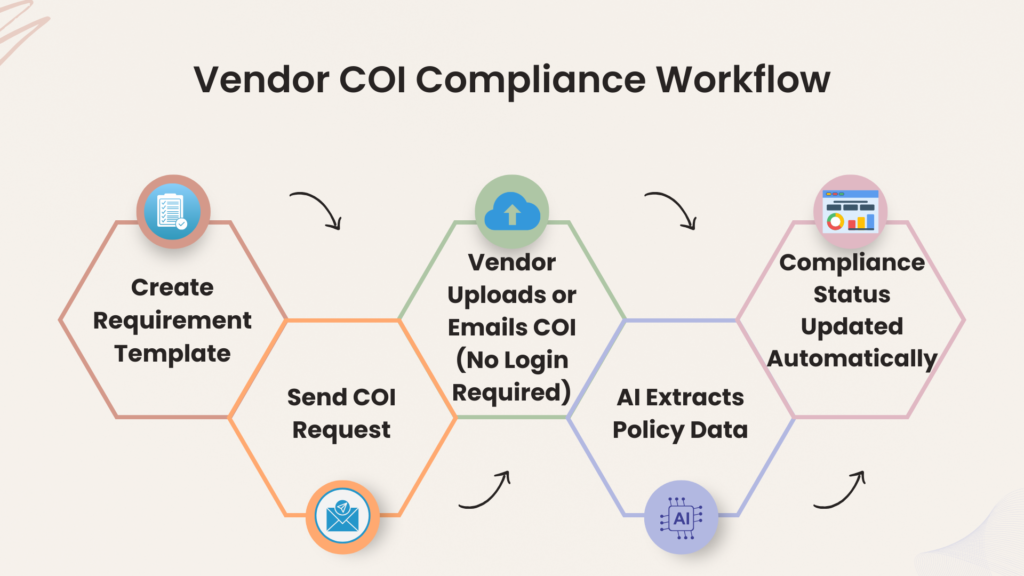
Create requirements once, collect vendor COIs by email or portal, and let AI extract policy data and check compliance automatically.
Step 1
Create Requirement Templates
Define your insurance requirements once
- Required coverages and minimum limits
- Required endorsements (if applicable)
- Carrier rating guidance (e.g., A- VII or better)
- Project-specific instructions for vendors
Templates ensure consistent compliance across all vendors and projects.
Step 2
Send COI Requests
Send a request directly from your dashboard.
- Email request with secure upload link
- Assign vendors to projects or requirements
- Set due dates for certificate submission
- Track request status in real time
Your dashboard shows pending, submitted, and overdue requests.
Step 3
Vendors upload COIs — no login required
Vendors can upload OR email certificates — AI handles the rest.
- Upload COIs using a secure link
- Send certificates directly by email
- Attach supporting documents if required
- Instant confirmation after upload
This removes the friction of vendor accounts or complicated portals.
Step 4
AI Extracts Policy Data & Checks Compliance
COISimple automatically processes uploaded certificates.
- AI extracts policy details from ACORD certificates
- Coverage limits and dates are captured automatically
- Requirements are evaluated against your templates
- Compliance status is generated instantly
You can also add internal notes or override decisions if needed.
Step 5
Track Expirations & Renewals
COISimple monitors expiration dates automatically.
- Alerts before policies expire
- Vendor reminder emails
- Internal notifications for your team
- Updated compliance status when renewals are received
This helps teams avoid compliance gaps and last-minute document chasing.